AKB76040004
TV 2022 Series Magic Remote Controller (with NFC)
Key Features
- LG TV Genuine Remote Control
- LG Magic Remote Control
- NFC Function Support
How to Register
For more detailed information, please refer to the product manual for your model.
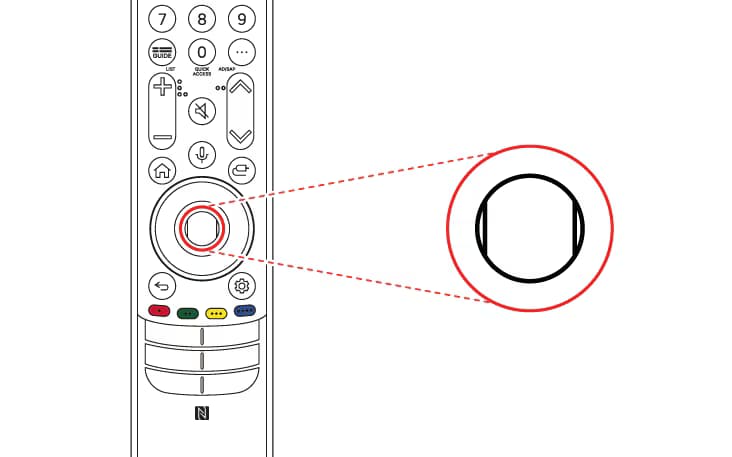
How to register the Magic Remote Controller
To use the Magic Remote Controller, first pair it with your TV.
1. Put batteries into the Magic Remote and turn the TV on.
2. Point the Magic Remote Controller at your TV and press the Wheel (OK) button on the remote Controller.
- If the TV fails to register the Magic Remote Controller, try again after turning the TV off and back on.

How to deregister the Magic Remote Controller
Remote Controller Press and hold the (HOME)button and (Back)button at the same time for five seconds, to unpair the Magic Remote Controller with your TV.
- Press and hold the (Home) button and (Settings) button together for more than 5 seconds to disconnect and re-register the Magic Remote Controller at the same time.
SUMMARY
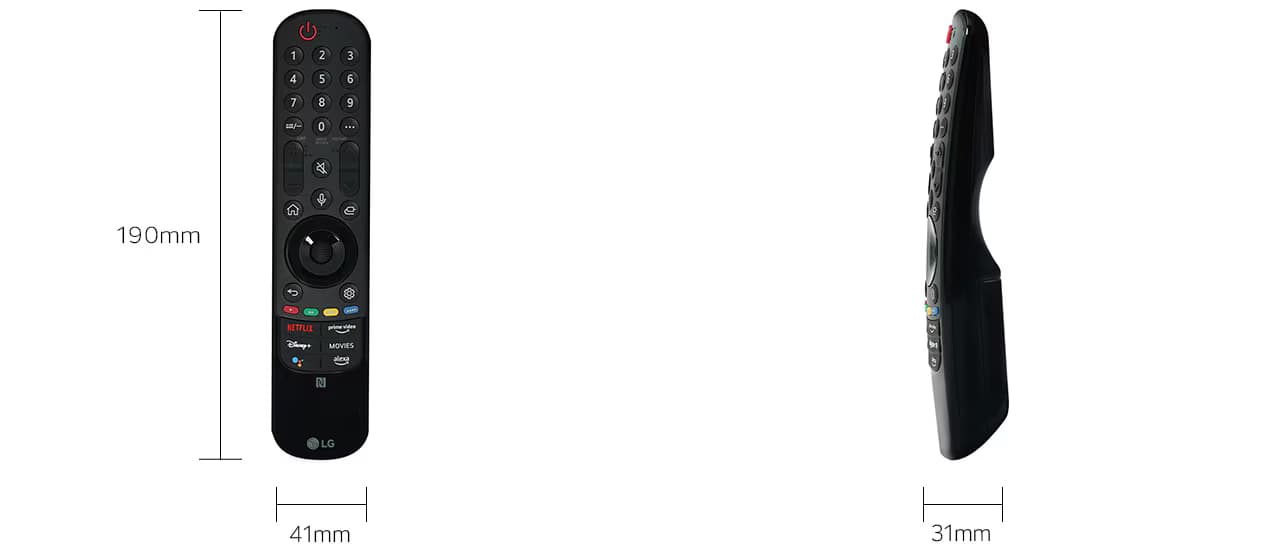
DIMENSIONS
Part Number
AKB76040004
Color
Black
Product Dimension (W x H x D, mm)
41 x 190 x 31
Net Weight (g)
96